How to Get a Free Google Gemini API Key
Is the Gemini API free?
Yes. Google gives you a Gemini API key for free through Google AI Studio, with no credit card and no billing account. The free tier covers Gemini 2.5 Flash Lite, Flash and Pro at 15 requests per minute and 1,000 requests per day - more than one person gets through in normal use. It is not a trial: the quota resets daily and you can keep using it indefinitely.
There is one trade-off worth knowing before you start. On the free tier, Google may use the content you send to improve its products and train its models. On the paid tier, it does not. If you handle client work, legal documents, medical information, or anything under NDA, use the paid tier or a local model instead.
Getting the key takes about two minutes. Below is the full process, the free-tier limits in detail, how the free and paid tiers differ, and fixes for the errors people hit most.
Why Gemini?
Gemini offers several advantages:
- Free tier with generous limits (including the fast Gemini 2.5 Flash Lite)
- Multimodal capabilities (text, images, code)
- Fast response times
- Easy integration with existing tools like Echoo
Privacy Note: When using the free tier, please be aware that Google may use the data processed to improve their products and for training the AI model. With the paid tier, your data is not used for training. We recommend avoiding sensitive personal or proprietary data when using the free API tier.
Step 1: Access Google AI Studio
First, navigate to Google AI Studio (opens in new tab). You'll need to sign in with your Google account.
Tip: Use a personal Google account for easier access. Workspace accounts may have restrictions.
Step 2: Create a New Project
Once you're in AI Studio:
- Click on "Get API Key" in the left sidebar
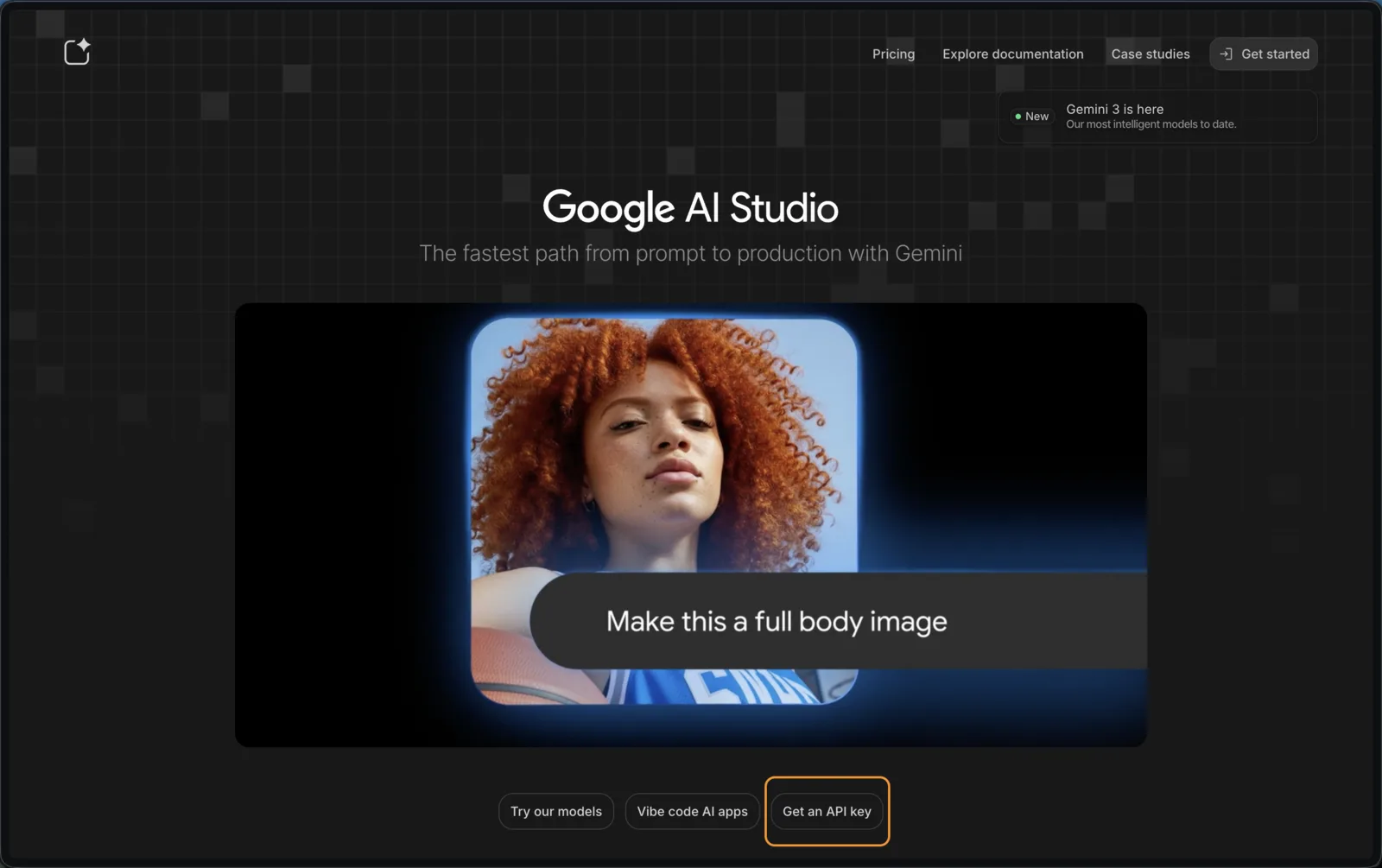
- Click on "Create API key"
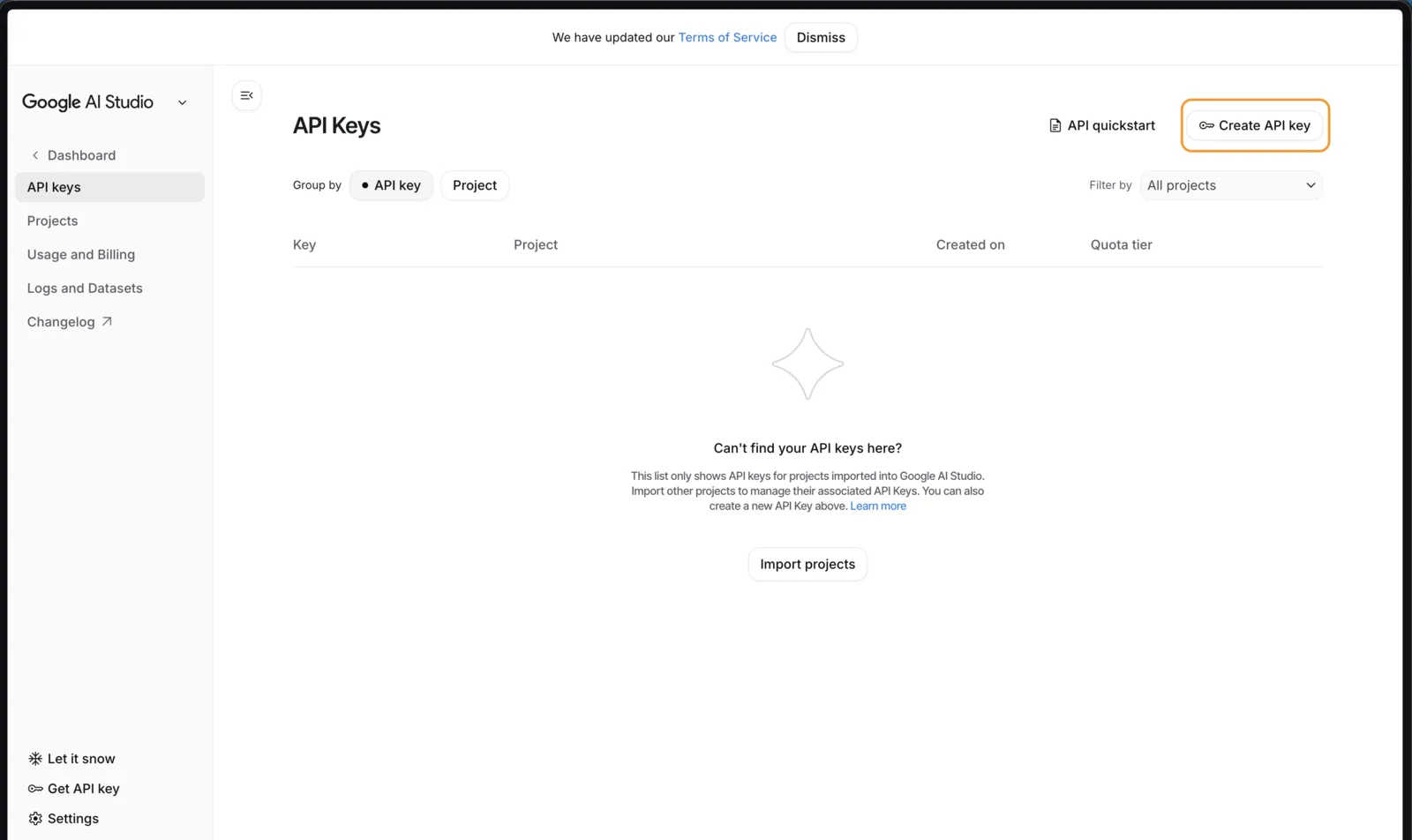
- Select "Create API key in new project"
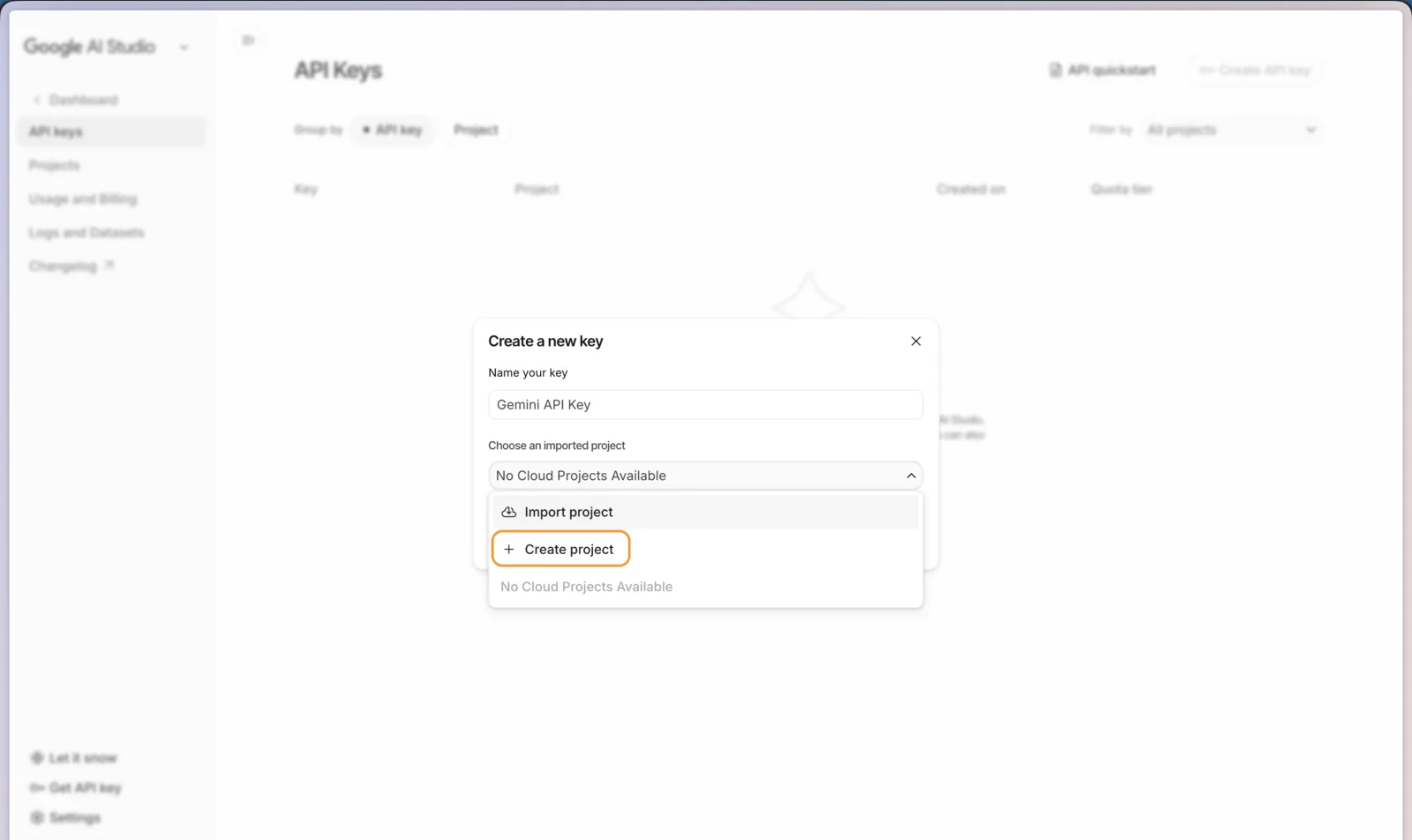
Step 3: Generate Your API Key
After creating your project:
- Your API key will be displayed immediately
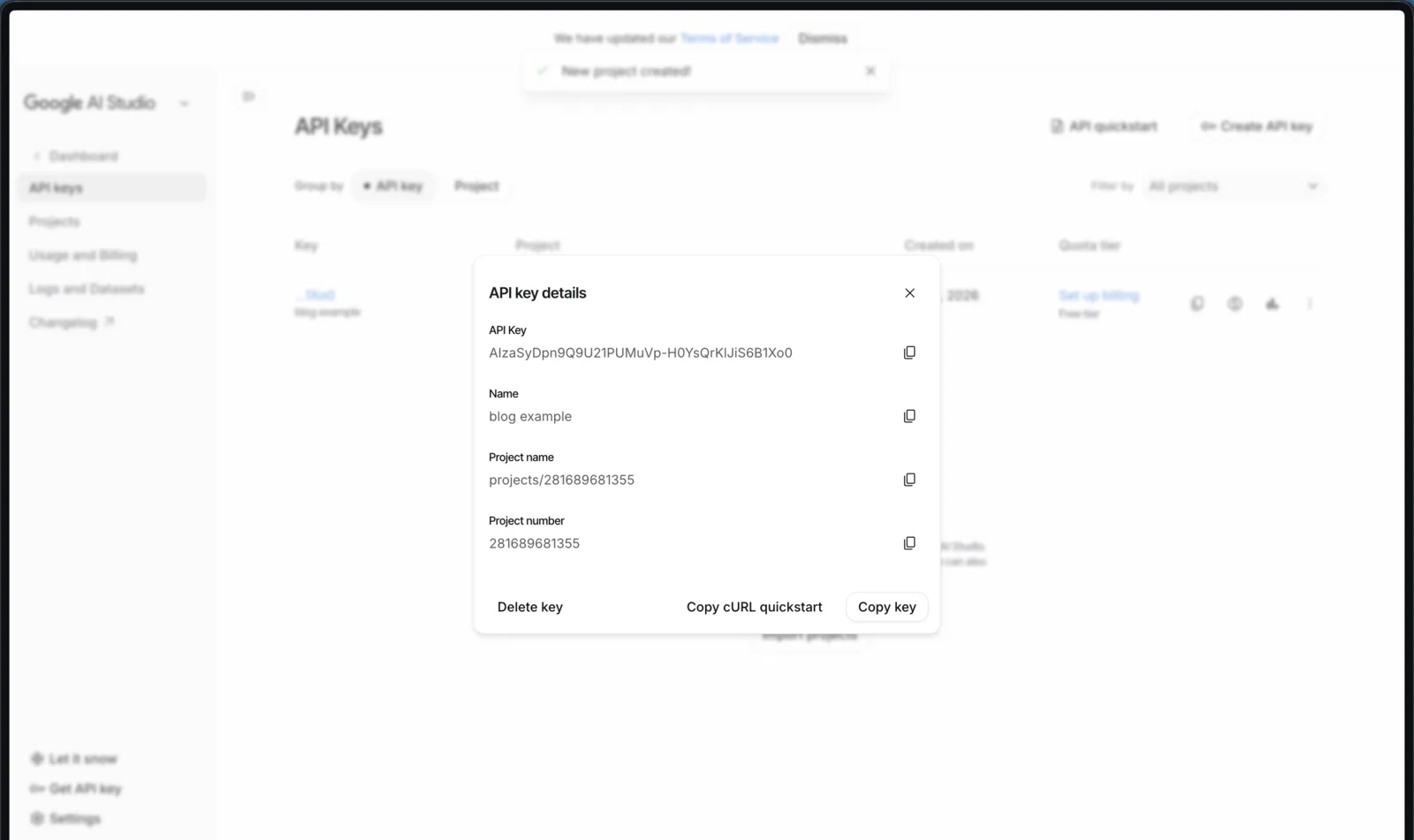
- Copy it - you won't be able to see it again!
Using with Echoo
Once you have your API key, you can use it with Echoo:
- Open Echoo settings
- Navigate to AI Provider
- Paste your API key
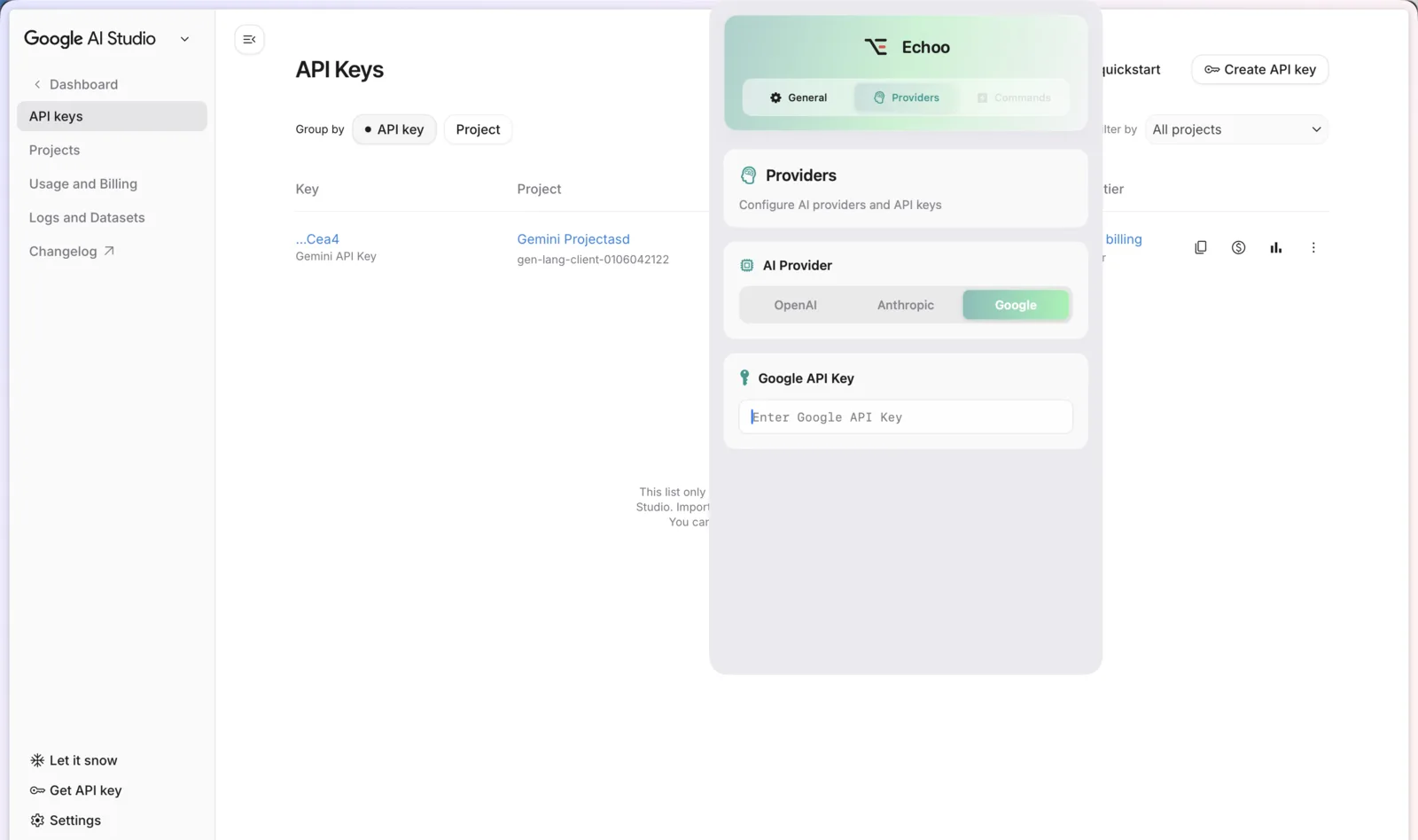
- Select Google Gemini and choose your model (we recommend Gemini 2.5 Flash Lite)
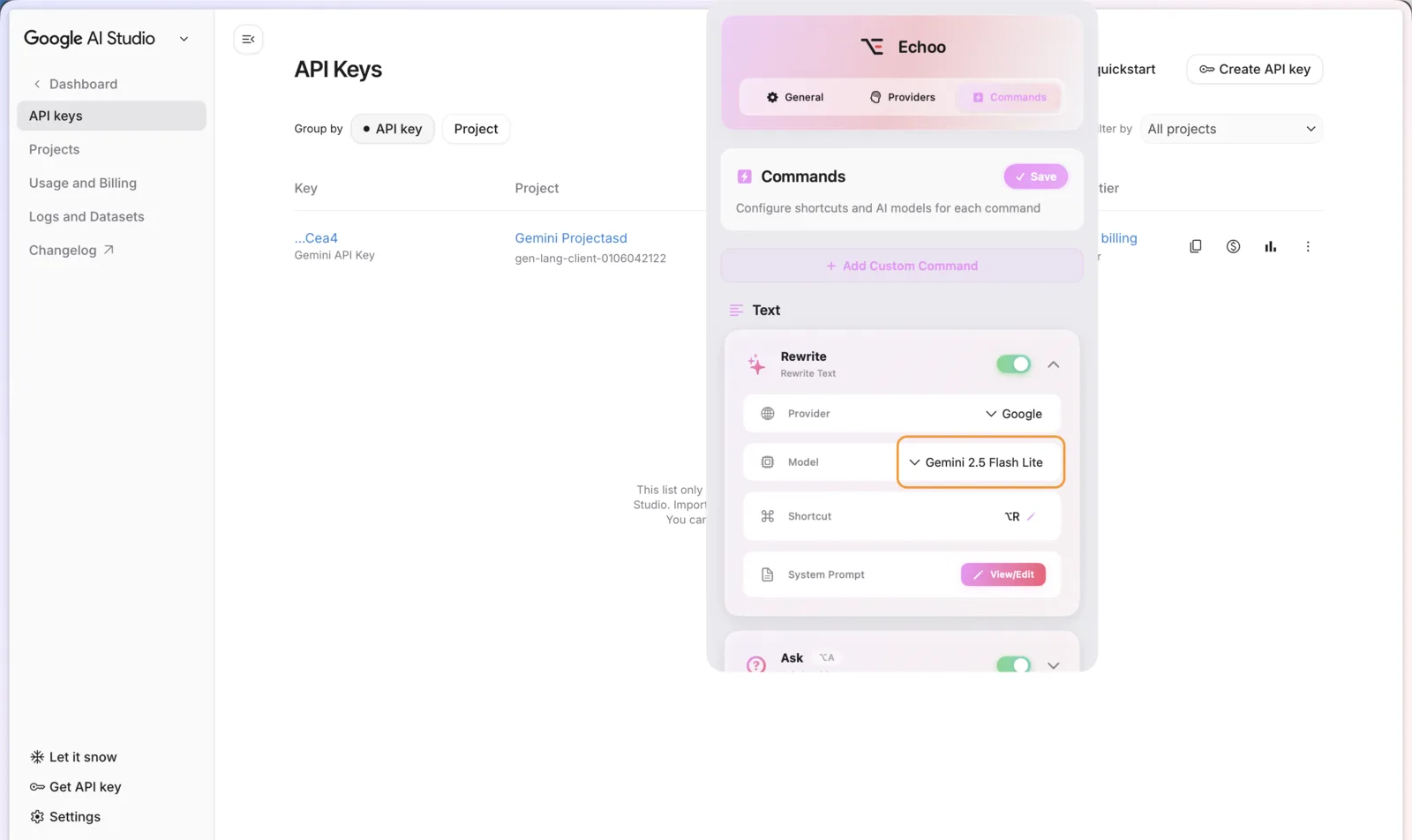
- Save and enjoy!
Free Tier Limits
The free tier for Gemini 2.5 Flash Lite includes:
- 15 requests per minute (RPM)
- 1,000 requests per day (RPD)
- 1 million token context window
- Access to Gemini 2.5 Flash Lite, Flash, and Pro (limits vary by model)
Is the Google Gemini API Key Really Free?
Yes, with one trade-off worth understanding before you commit.
The free tier costs nothing and requires no credit card. You are not on a trial that expires; the quota resets daily and you can keep using it indefinitely. For a single person running text through Echoo, 1,000 requests per day is far more than most people use.
The trade-off is data handling. On the free tier, Google may use the content you send to improve its products and train its models. On the paid tier, it does not. That distinction is the real reason to upgrade, and it matters more than the rate limits for most people. If you are processing client work, legal documents, medical information, or anything under NDA, use the paid tier or a local model instead.
There is no middle setting. Adding billing to your Google Cloud project moves the whole project to paid terms.
Free Tier vs Paid Tier
Free tier
- No credit card required
- 15 requests per minute, 1,000 per day on Flash Lite
- Content may be used for training
- Best for personal use, learning, and evaluation
Paid tier
- Requires billing enabled on the Google Cloud project
- Substantially higher rate limits
- Content is not used for training
- Pay per token, with Flash Lite among the cheapest models available
Which Gemini Model Should You Pick?
- Gemini 2.5 Flash Lite - fastest and cheapest. This is the right default for grammar fixes, rewrites, and translation, where latency matters more than reasoning depth.
- Gemini 2.5 Flash - noticeably better at instruction-following and longer inputs, still fast.
- Gemini 2.5 Pro - strongest reasoning, slowest, tightest free-tier limits. Worth it for complex analysis, overkill for a tone rewrite.
If you are unsure, start with Flash Lite. You can change the model in Echoo at any time without generating a new key.
Troubleshooting Common Errors
400 API key not valid - The key was copied incompletely or has a trailing space. Regenerate it in AI Studio and paste it again without editing.
429 Resource exhausted - You hit the rate limit. Free tier allows 15 requests per minute; wait 60 seconds. If it happens constantly, switch to Flash Lite or enable billing.
403 Permission denied - Usually a Workspace account with API access restricted by an administrator. Create the key under a personal Google account instead.
The API key page is empty - The Gemini API is not available in every country. Check the supported-regions list in Google's documentation.
The key worked yesterday and stopped today - Keys are disabled automatically if they are detected in a public repository. Check whether you committed one, then rotate it.
Best Practices
- Never commit a key to Git. Google scans public repositories and revokes exposed keys, usually within minutes. Use an environment variable or, on Mac, Keychain.
- Never expose keys in client-side code. Anything in a browser bundle is public, no matter how it is obfuscated.
- Rotate keys periodically, and immediately if you suspect exposure. Old keys keep working until you delete them.
- Use one key per application so you can revoke a single key without breaking everything else.
- Set a billing budget alert if you enable the paid tier, so a runaway loop cannot surprise you.
Using Your Key Without Writing Any Code
If your reason for wanting a Gemini API key is to actually use Gemini rather than to build with it, you do not need to write anything. Echoo is a Mac app that takes the key you just created and puts Gemini behind a keyboard shortcut in every app you already use: select text in Mail, Slack, Notes, or Xcode, press the shortcut, and the rewrite happens in place.
Your key stays in Apple Keychain on your machine, and requests go straight from your Mac to Google. Echoo's servers never see the key or your text. With the free tier, that setup costs nothing at all.
Frequently asked questions
Does Gemini have a free API key?
Yes. Google issues Gemini API keys free through Google AI Studio with no credit card and no billing account attached. The free tier is not a time-limited trial - the quota resets every day and you can keep using it indefinitely.
Can I use the Gemini API for free, and is there a catch?
You can. The catch is not cost, it is data handling: on the free tier Google may use the content you send to improve its products and train its models. The paid tier does not. Adding billing moves the entire project to paid terms, so there is no way to mix the two. Keep client work, NDA material, and anything sensitive off a free key.
Is there an unlimited free Gemini API key?
No. "Unlimited" free keys do not exist, and sites offering them are either reselling someone else's quota or harvesting credentials. The real free tier is capped at 15 requests per minute and 1,000 requests per day, which is generous for personal use but is still a cap.
How do I create a Gemini API key?
Sign in to Google AI Studio with a personal Google account, click "Get API Key" in the left sidebar, then create the key in a new or existing project. Copy it immediately - AI Studio shows the full key once, and after you close the dialog only a truncated version is visible.
How do I check whether my Gemini API key works?
The fastest check is to paste it into a tool that will use it and run one request. A 400 API key not valid response almost always means the key was copied incompletely or carries a trailing space; 429 Resource exhausted means the key is valid and you have simply hit the rate limit.
Can students get a free Gemini API key?
Yes, but there is no separate student programme or student tier - the standard free tier is available to any Google account, which already covers typical coursework and personal projects without a credit card.
Conclusion
Getting a free Gemini API key takes about five minutes: sign in to AI Studio, create a key, copy it before you close the page. The free tier is genuinely free and generous enough for personal use - just remember that free-tier content may be used for training, so keep sensitive material on the paid tier or a local model.
Have questions or feedback? We'd love to hear from you! Get in touch with us on GitHub (opens in new tab).

Mike
Creator of Echoo