v0.11.0 Beta: Heading to Official Release - Screen Context, Voice Launcher & Read Aloud
We're Heading to Official Release
Since the very first beta, Echoo has grown from a simple text shortcut tool into something much bigger - a full AI productivity layer for your Mac. With v0.11.0-beta, we're closer than ever to leaving beta behind.
This release packs four major areas of improvement:
- Screen Context - your AI can now see your screen
- Voice Launcher - hold a key, say a command name, and it runs
- Read Aloud with AI Pre-Processing - hear any text spoken aloud, optionally processed by AI first
- UX Improvements - undo support, cleaner command management, and quality-of-life fixes
Let's dive in.
Screen Context
Echoo now captures your screen using macOS ScreenCaptureKit, giving your AI commands visual awareness of what's on your display.
How It Works
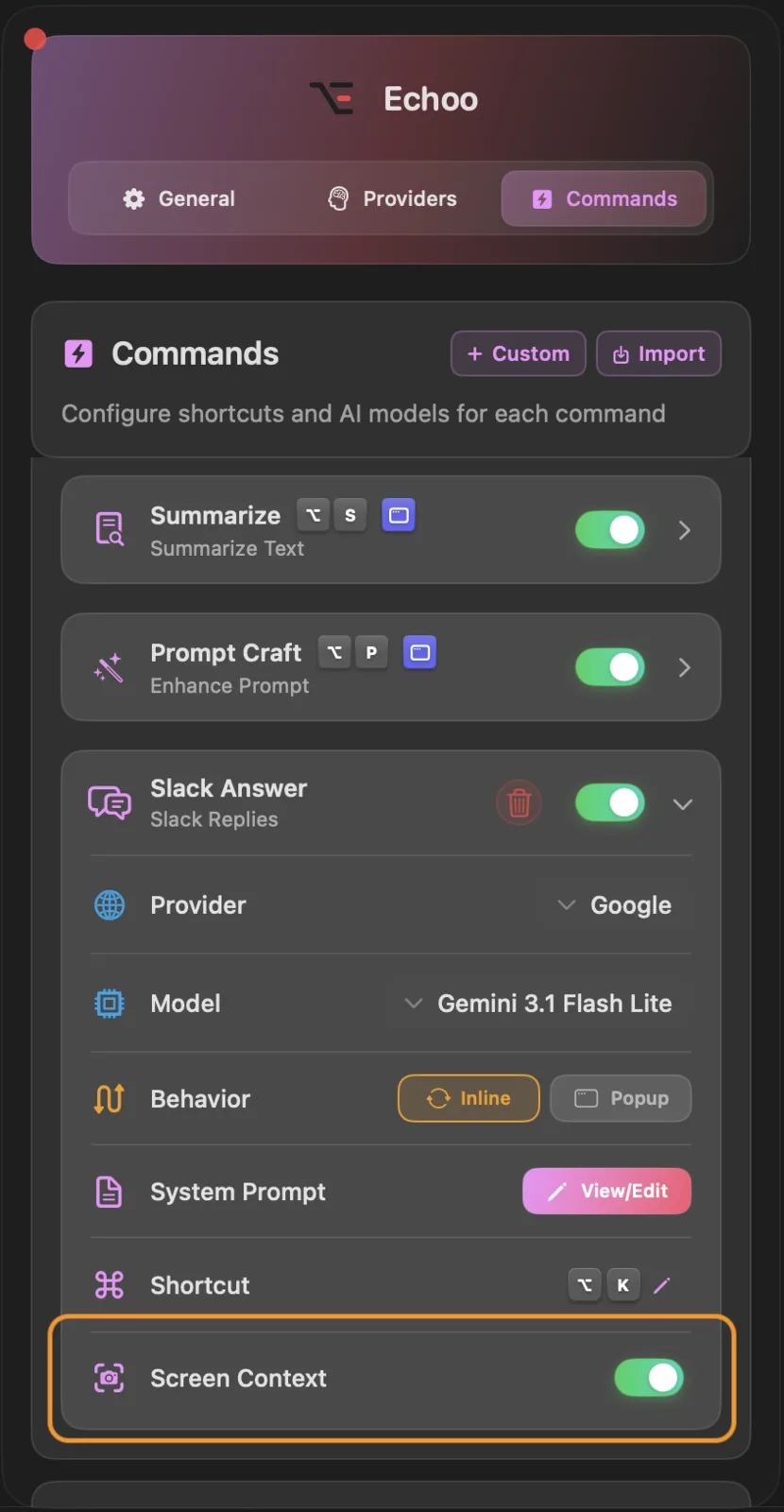
- Toggle Screen Context on any command (text or voice)
- Echoo captures your screen when the command runs
- The screenshot is sent alongside your text to the AI provider
- AI responds with full visual context - it sees what you see
Why It Matters
- Debug code with the error visible on screen - no need to copy-paste stack traces
- Reference designs - ask AI to match a layout you're looking at
- Ask about charts and dashboards - "What trend does this graph show?"
- Describe what you see - useful for accessibility, documentation, or quick context sharing
Screen Context is per-command, so you control exactly when Echoo sees your screen. It works with every command type - built-in, custom, and voice instruction. When using voice instruction without any selected text, Echoo switches to a screen-only analysis mode where AI focuses entirely on what's visible on your display.
Voice Launcher
This is one of the most exciting additions in this release. Voice Launcher lets you hold a key (default: Control ⌃), speak a command name, and have it execute automatically - no keyboard shortcut memorization needed.
How It Works
- Hold the Control key (⌃) (or your configured shortcut)
- Say the command name - "rewrite", "summarize", "translate", "read aloud", or any custom command name
- Release the key - Echoo transcribes your voice locally using the Parakeet model, matches it to a command, and executes it
Everything happens on-device. The voice transcription runs locally through Parakeet - nothing is sent to the cloud for the matching step. Only the matched command's AI processing uses your configured provider.
What You Can Launch
Voice Launcher works with all your commands:
- Built-in commands - "rewrite", "summarize", "translate", "ask", "prompt", "read aloud"
- Custom commands - just say the name you gave your custom command
- Flexible matching - Echoo recognizes variations like "re-write", "summarise", "read out loud"
Your voice, your commands. Voice Launcher is a meta-command - it doesn't process text itself, it delegates to whichever command you speak. Think of it as a voice-activated command palette.
Read Aloud with AI Pre-Processing
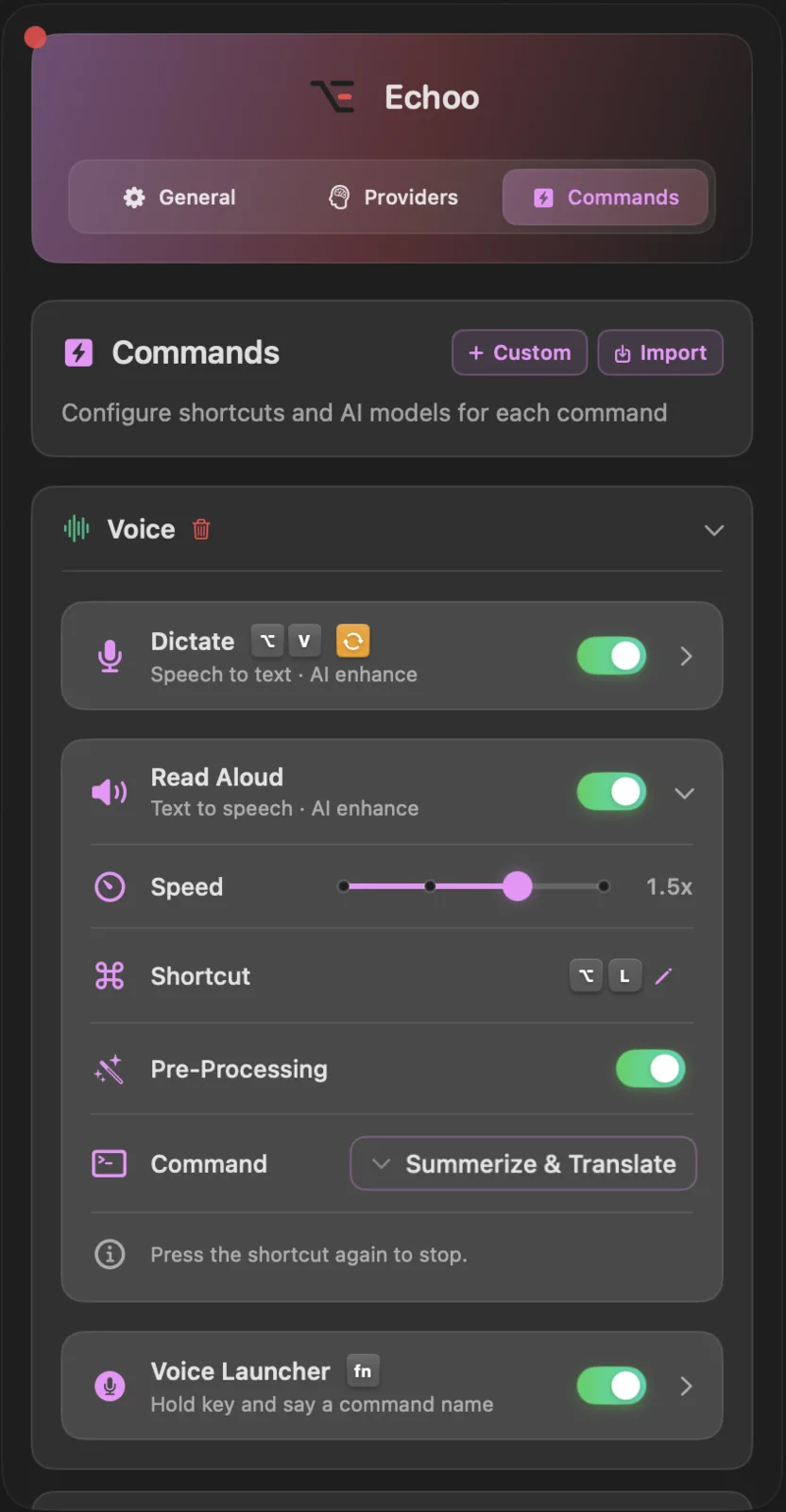
Echoo can read text aloud using macOS native text-to-speech with automatic language detection across 25+ languages. The twist: before reading, you can run any AI command as a pre-processing step.
Pre-Processing: Run Any AI Command Before Reading
Instead of just reading raw text, you can:
- Summarize a long article before reading it aloud
- Translate to any language and hear the translation spoken
- Simplify complex text into plain language
- Chain commands - summarize, then translate, then read
Example: English Article to French Audio Summary
- Select the article text (a long English passage)
- Trigger Read Aloud with pre-processing enabled
- Pre-processing kicks in: Echoo summarizes the article, then translates the summary to French
- Echoo reads the short French summary aloud - you hear a concise French version of a long English article
Chain anything. Summarize, Translate, Simplify, Read. Build whatever pipeline you need. The AI does the heavy lifting, then your Mac speaks the result.
Speed Presets
- 0.5× - perfect for language learning, catch every word
- 1× - natural pace
- 1.5× - faster review of familiar content
- 2× - speed through long passages
Press the shortcut again while audio is playing to stop it instantly.
UX Improvements
We've made several quality-of-life improvements throughout the app:
- Undo support - made a mistake with a command? Undo instantly and get your original text back
- Disabled command cleanup - commands you've turned off can now be removed from view, keeping your command list clean and focused
- General polish - smoother interactions, better feedback, and small fixes across the board
What's Next
v0.11.0-beta is the most complete version of Echoo yet. We're stabilizing, polishing, and preparing for our first official release. The goal: a rock-solid v1.0 that makes AI an invisible, always-available layer on your Mac.
Upgrade Now
Ready to try everything new in v0.11.0-beta? Update to the latest version.
Have questions or feedback? We'd love to hear from you! Get in touch with us on GitHub (opens in new tab).

Mike
Creator of Echoo