v0.9.20 Beta: A Brand New Voice Engine, Dark Mode & Custom Voice Commands
Voice Dictation on Mac, 4× Faster Than Typing
What if you could talk to your Mac and have it type for you - locally, privately, and in 25 languages? That's exactly what v0.9.20-beta delivers. This is Echoo's biggest release yet.
Here's what changed:
- Completely new voice engine powered by FluidAudio (opens in new tab) and NVIDIA's Parakeet (opens in new tab) model
- Custom voice commands - build your own voice workflows
- Post-processing - automatically fix grammar, translate, or rephrase after transcription
- Dark mode, new settings, and UI/UX improvements across the board
Let's break it all down.
A Completely New Voice Engine
This is the biggest change in this release. We moved Echoo's entire voice system to FluidAudio (opens in new tab), an open-source Swift SDK that runs state-of-the-art audio AI models locally on your Mac using the Apple Neural Engine.
Under the hood, it uses NVIDIA's Parakeet (opens in new tab), a 600-million-parameter speech recognition model that supports 25 languages out of the box. It detects your language automatically, no setup needed.
What this means for you
- Runs 100% on your Mac - nothing is sent to the cloud
- Fast and accurate - way better than before
- 25 languages supported - Bulgarian, Czech, Danish, Dutch, English, Estonian, Finnish, French, German, Greek, Hungarian, Italian, Latvian, Lithuanian, Maltese, Polish, Portuguese, Romanian, Slovak, Slovenian, Spanish, Swedish, Russian, Ukrainian, and Croatian
- One-time download - the model is about 650 MB and downloads automatically the first time you use voice
How to Set Up Local Voice
Getting started is simple. Open Echoo, go to the Commands tab, and the voice model will start downloading automatically. Here's what the setup looks like, from first download to full configuration:
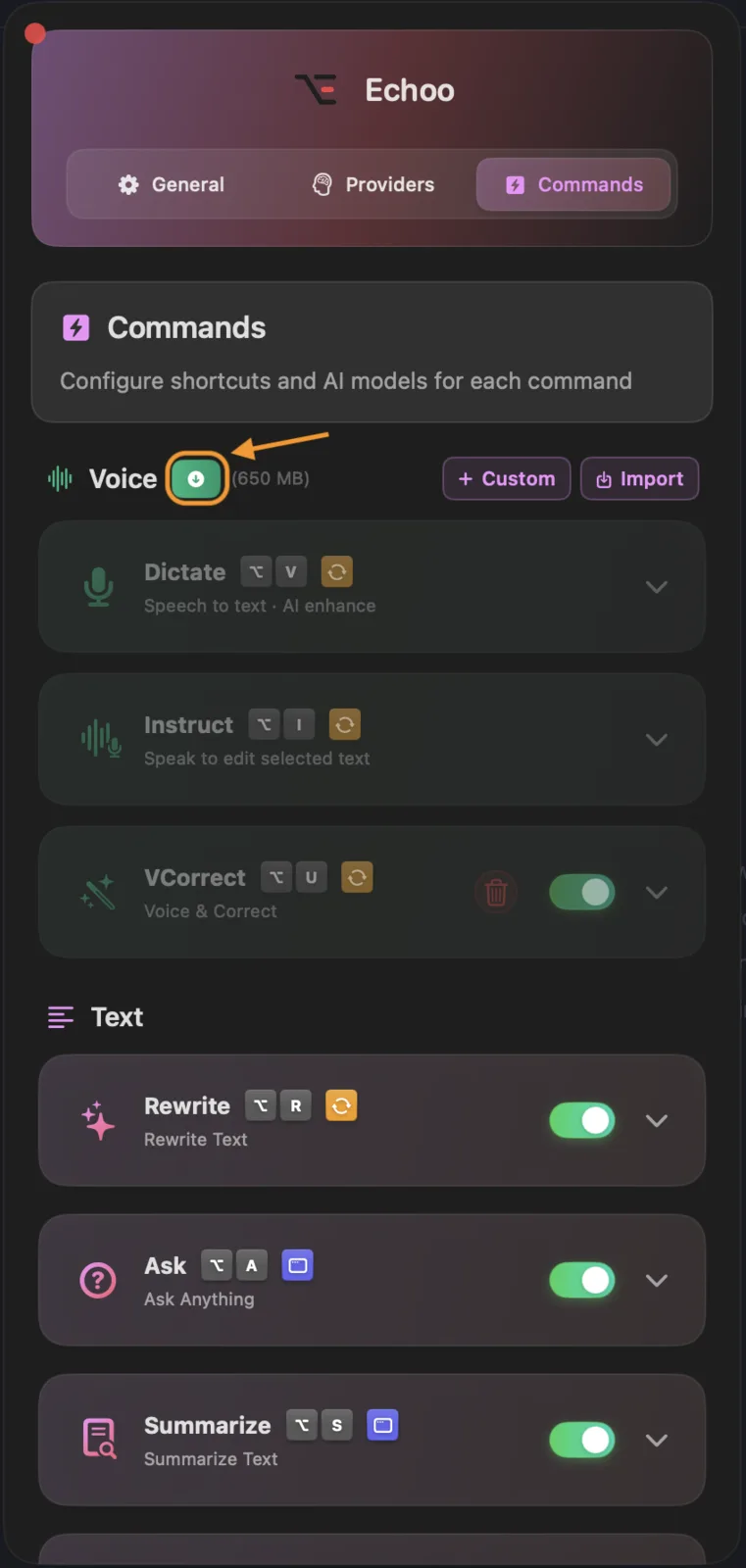
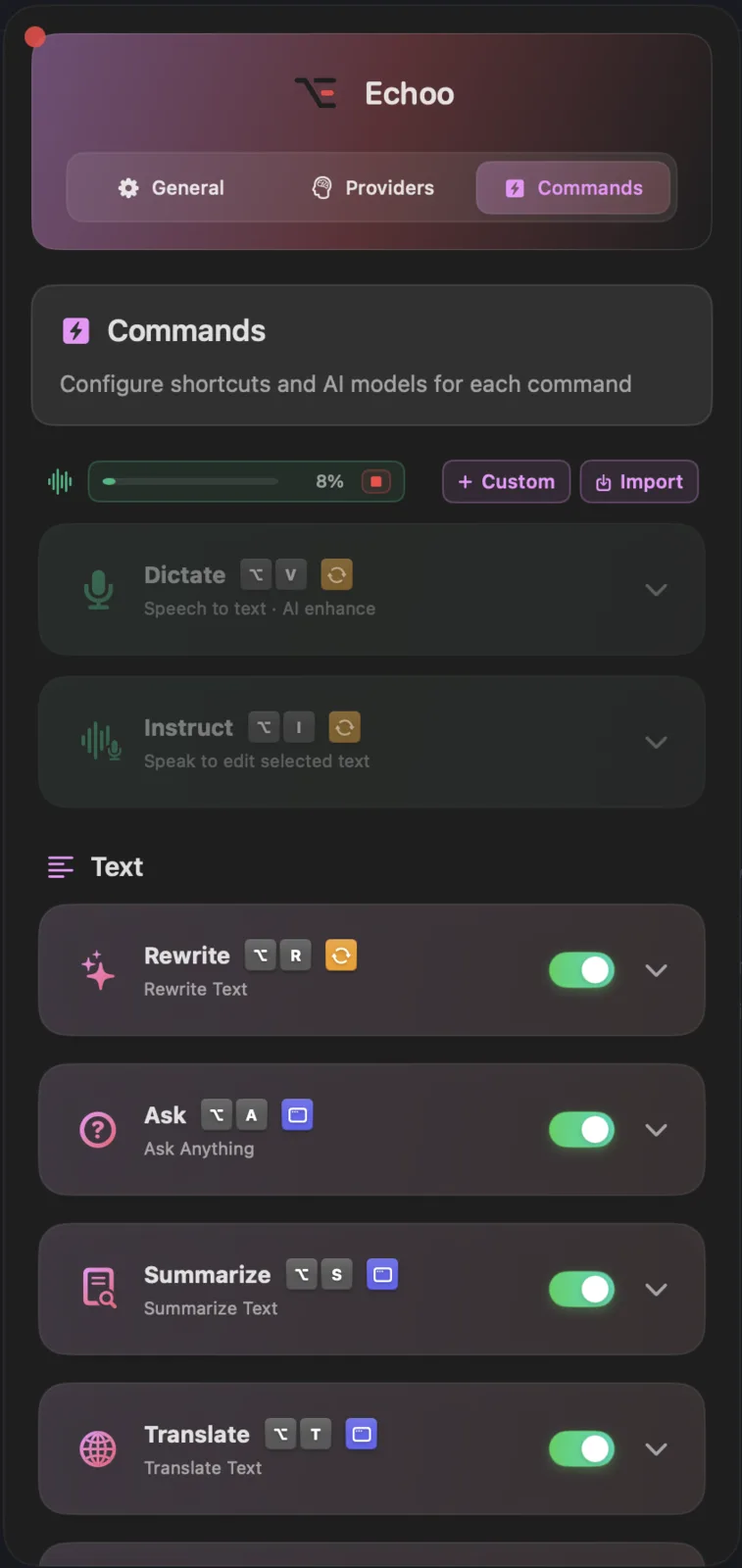
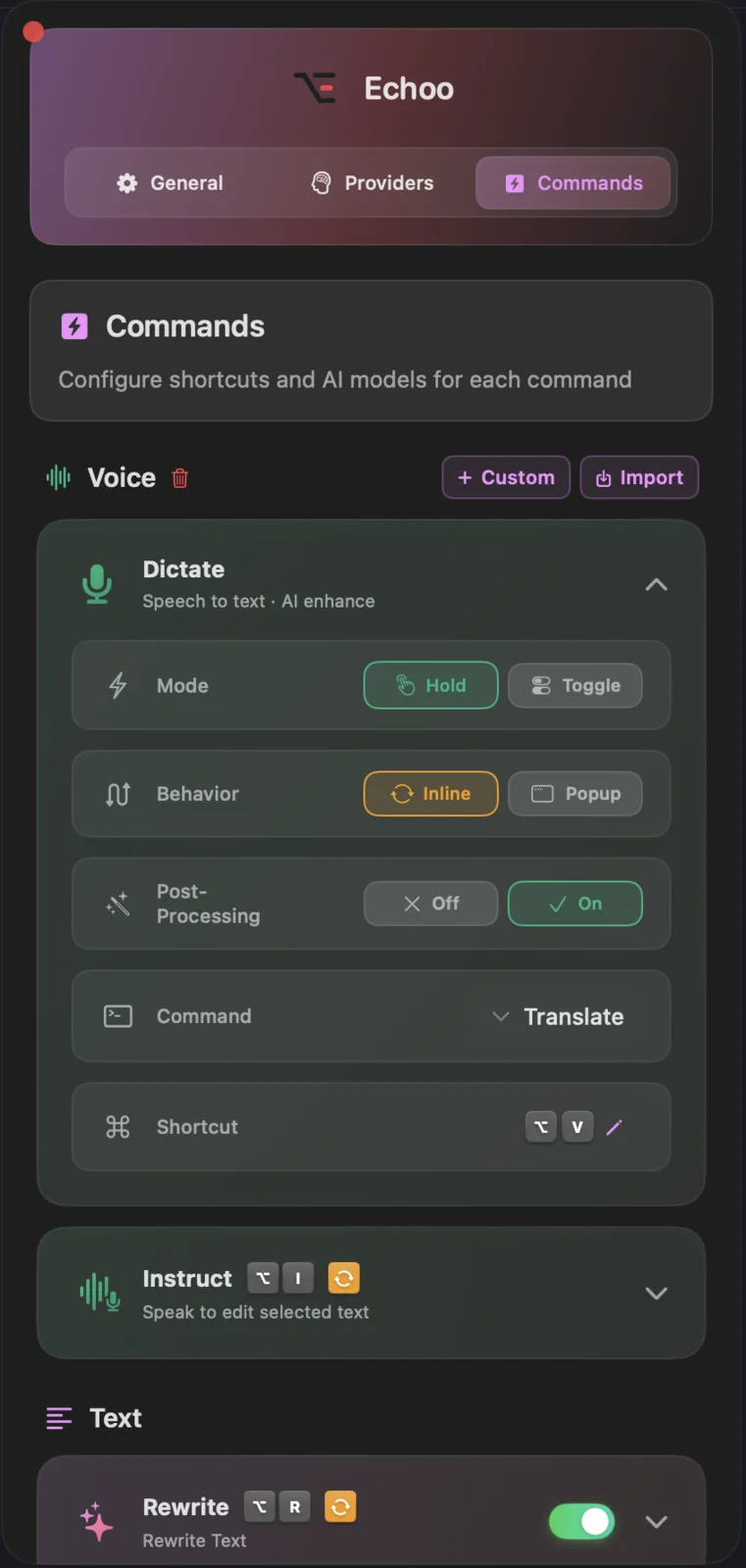
When you open the Commands tab for the first time, the voice model starts downloading automatically. Once it finishes (about 650 MB), a green checkmark appears and all voice commands become available. Each command has its own settings: choose between Hold or Toggle mode, Inline or Popup behavior, turn Post-Processing on or off, assign a command, and set a custom keyboard shortcut.
Post-Processing: Make Your Voice Smarter
This is one of our favorite new features. With post-processing turned on, your voice transcript goes through an extra AI step before it gets inserted into your text.
Here's the flow:
- You speak
- Echoo transcribes your voice locally (using the new engine)
- The transcript gets sent to your AI provider for processing
- The polished result is inserted where you're working
What can post-processing do? Pretty much anything you can describe in a prompt. Fix grammar, adjust the tone, translate to a different language while keeping your style, or clean up filler words. You decide what happens after the transcription.
Custom Voice Commands
Before this update, voice commands were fixed: Dictate and Instruct. Now you can create as many custom voice commands as you want. Each one gets its own:
- Keyboard shortcut
- Behavior (Hold or Toggle, Inline or Popup)
- Post-processing rules (with any AI command)
Some ideas for custom voice commands:
- Voice-to-translate - speak in one language, get text in another
- Voice summary - speak your thoughts, get a clean summary
- Voice correct - speak casually, get polished professional text
New Settings & UI Improvements
Here's what's new on the UI side:
- Dark mode - finally here, and it looks great
- Sound on completion - get an audio notification when a command finishes
- Show/hide Echoo in Dock - keep it in the menu bar only if you prefer
- General polish - smoother animations, cleaner layouts, better spacing
What's Next?
Voice is just getting started. We're going to keep pushing on accuracy, speed, and new ways to interact with your computer using your voice. The goal is simple: make typing optional.
Upgrade Now
Ready to try the new voice engine and everything else? Update to the latest version.
Have questions or feedback? We'd love to hear from you! Get in touch with us on GitHub (opens in new tab).

Mike
Creator of Echoo